


Self-Manage Confluence Spaces
Overview
This article explains how Confluence space administrators can self-manage Confluence Groups.
Prerequisites
Before you begin:
- You must be a Space Administrator for the Confluence space.
- The Confluence group must be delegated to your space (for example,
abcd-team-membersfor theABCDspace). - Your Confluence instance must include the Delegated Group Manager macro provided by P1.
Managing Confluence Space Groups
Delegated Group Manager Macro for Confluence
Navigate to the given space that the group applies to.
Create a page within the space that will be used for managing groups.
- It is best to limit access to this page, as only Space Administrators can use the Delegated Group Manager macro. Non-space administrators will be presented with an " access denied message for the macro. If you want to show non-admins the members of a group, use the Group Viewer macro
Add a Delegated Group Manager macro to the page.
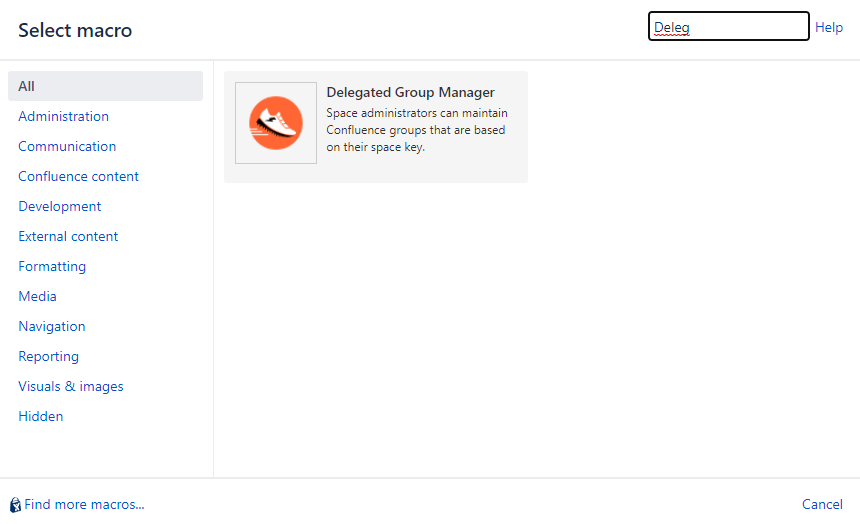
Tip: Use Ctrl+Shift+A to open the macro dialogue.
View the presented groups that you can edit from the given Confluence Space that your page is currently in.
Type in or copy/paste the Group that you want to manage.
Check the Remove users not in macro body? box if you want the group to be synchronized with your list.
Select Insert to add the macro to the page.
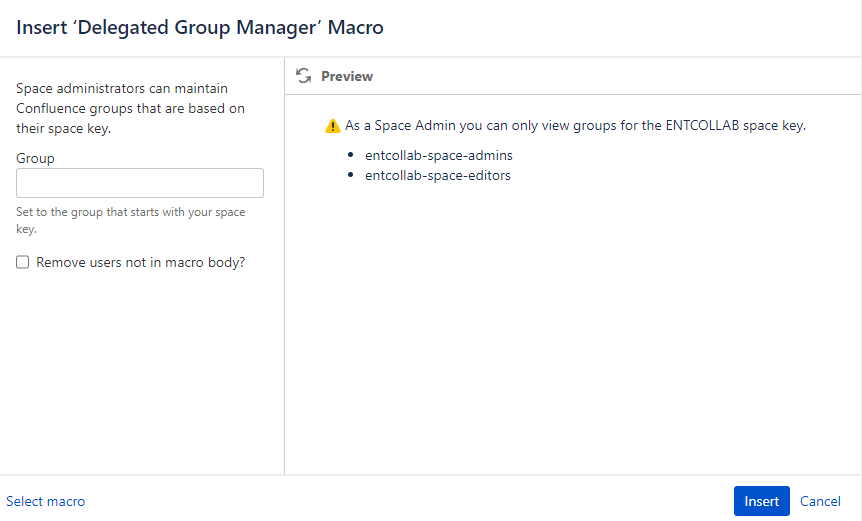
Select the checkbox to remove users from the group to purge the group and synchronize it with the list of users to which you will be adding the macro body.
- We highly recommend not selecting this option until you have saved the page at least once to identify which users are in the group and not in your list.
Add the users that you want to be in the group, either by their Keycloak username or email address, into the macro body.
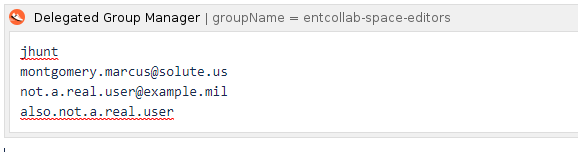
- This macro does not create accounts. If you add a user who does not have a Confluence account, a report will show which users need to self-provision their Confluence accounts.
Tip: If you want to add all users in your Mattermost Team, you can export the username list from Mattermost and paste it into the macro body.
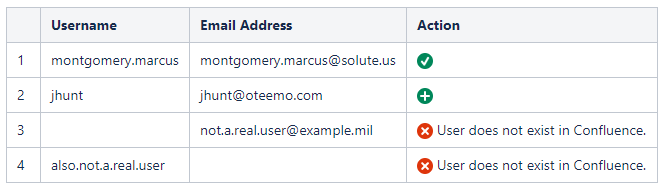
Save the page to commit the changes to the group and view the results. The macro will display the following results:
| Macro Result | Action |
|---|---|
 | The user is already in the group |
 | The user was just added to the group |
 | The user was removed from the group |
 | The user does not have an account |
 | The user is in the group but not in the macro body |
You have now completed the delegated management of a Confluence group.