


Requesting Access to Mattermost Teams
Overview
Watch this video and follow the steps below to join a team in Mattermost.
- Public Teams: Open to all users within authorized email domains. Users can join teams if their accounts meet the team's access requirements. Availability may be restricted to users whose email addresses belong to domains approved for that Mattermost environment. If you cannot find or join a public team, contact your team administrator or support team for assistance.
- Private Teams: Require an invite or manual addition by a team administrator.
Join a Mattermost team (video demonstration)
Request access to a team
You can request access to a Mattermost team using either the Join a new team option or the /requestaccess slash command.
Request access using the Join a new team option
Follow these steps to request access to a Mattermost team:
Select Join a new team in the top-left corner of Mattermost.
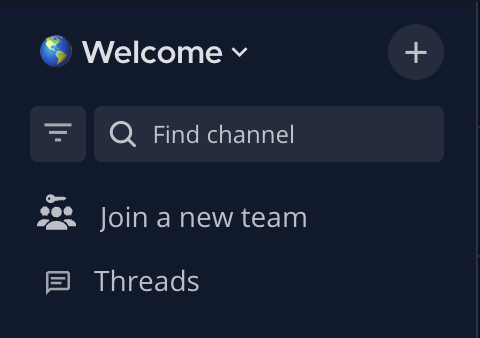
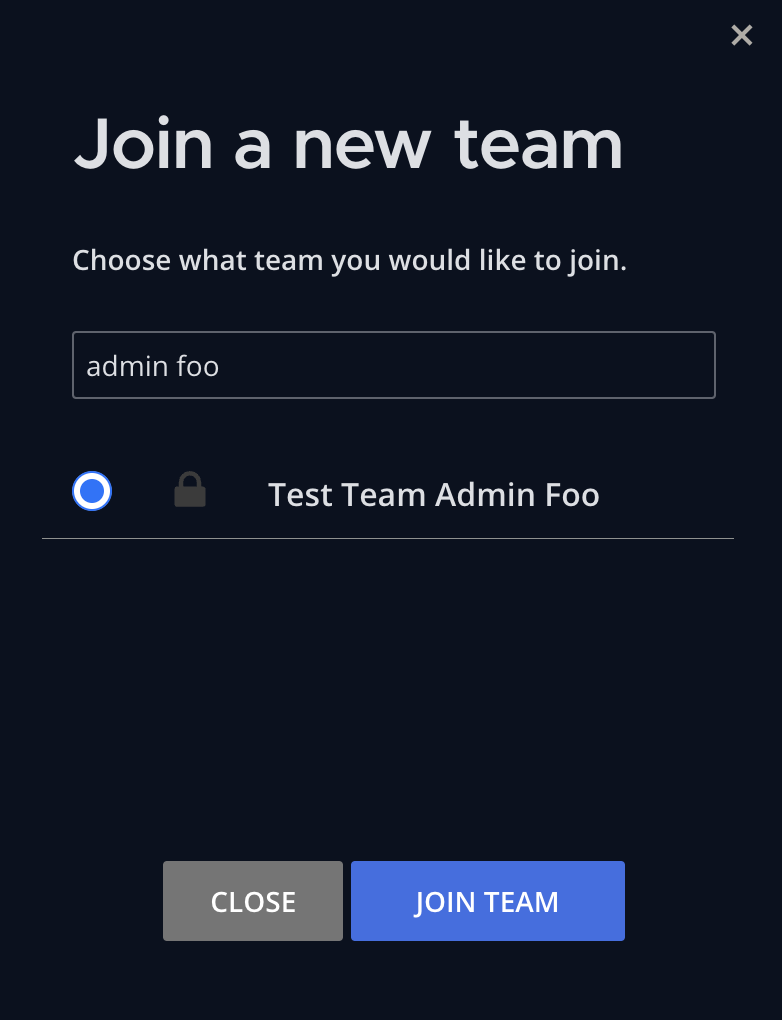
Use the search bar or scroll through the list to locate the team you want to join.
Select the radio button for the team you want to join, then select JOIN TEAM.
Confirm you're requesting to join the correct team, then select YES, CONTINUE.
Once you submit it, your request goes to the team administrators for approval. You will receive a notification when they make a decision.
- If approved: You will be added to the team.
- If denied: Follow up with the team administrator for additional guidance or access requirements.
Request access using /requestaccess team [team-name]
You can also request access to a team using the slash command /requestaccess team [team-name].
Open a message text box in Mattermost.
Type the slash command
/requestaccess team [team-name], replacing[team-name]with the name of the team you want to join.Press Enter to submit the command.
Mattermost recognizes the/at the beginning of the message as a slash command and performs the action associated with the command.
Once you submit it, your request goes to the team administrators for approval. You will receive a notification when they make a decision.
- If approved: You will be added to the team.
- If denied: Follow up with the team administrator for additional guidance or access requirements.