


Argo CD
Overview
This page will walk you through how to interface with Argo CD to look at live pod logs and cycle pods/resources that may be in an undesirable state.
Seeing Your Pod Logs
When you log into Argo CD through SSO, you should see your application(s) available. Click on the respective application you want to view the logs of, and you will be redirected to the Application UI.
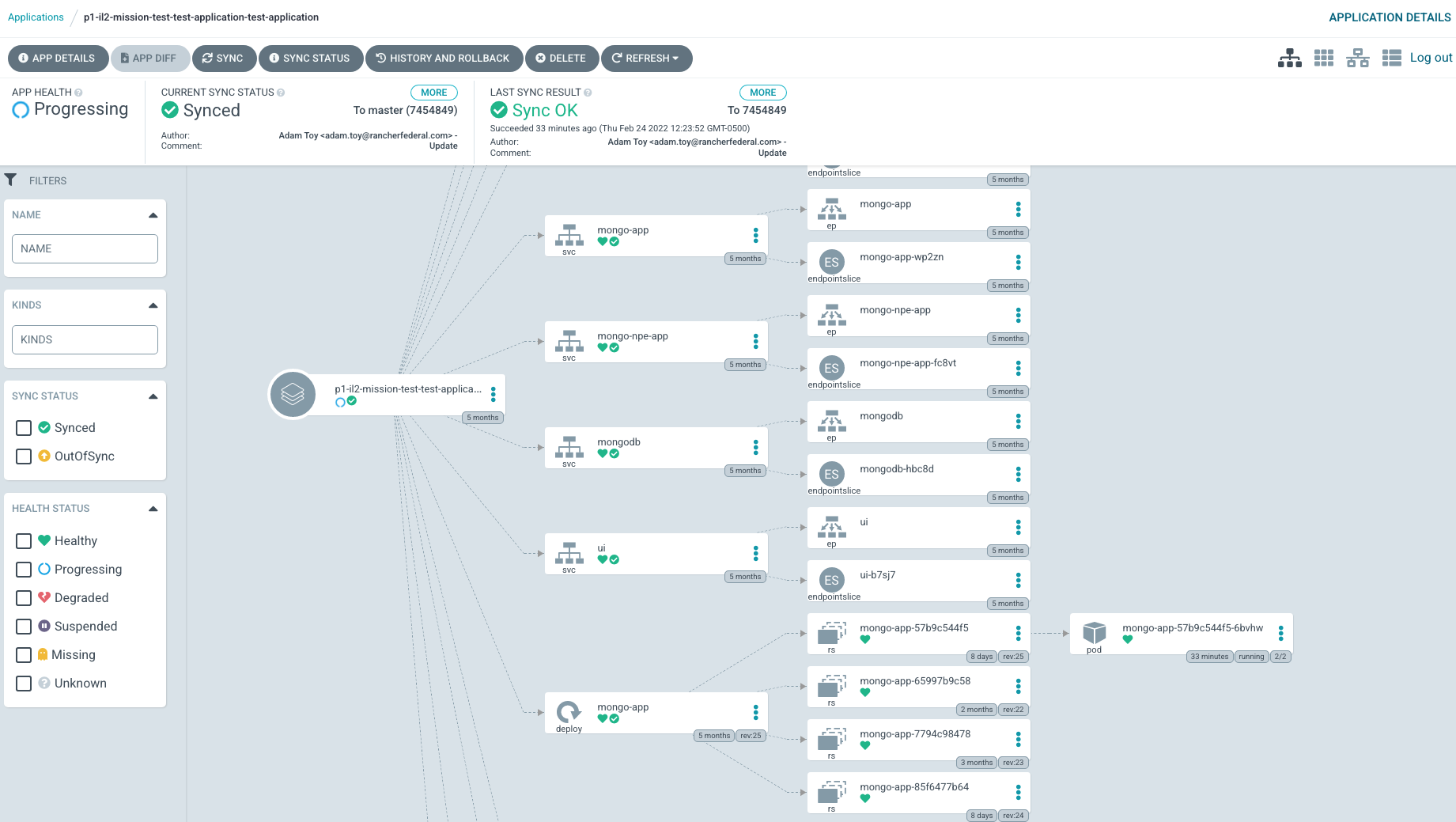
For logs, you'll want to click on the respective Pod resource on the right, then click the Logs tab. You can then click on the 3 lines icon to select a specific container within that pod you want to see the logs of (i.e., default is isito).
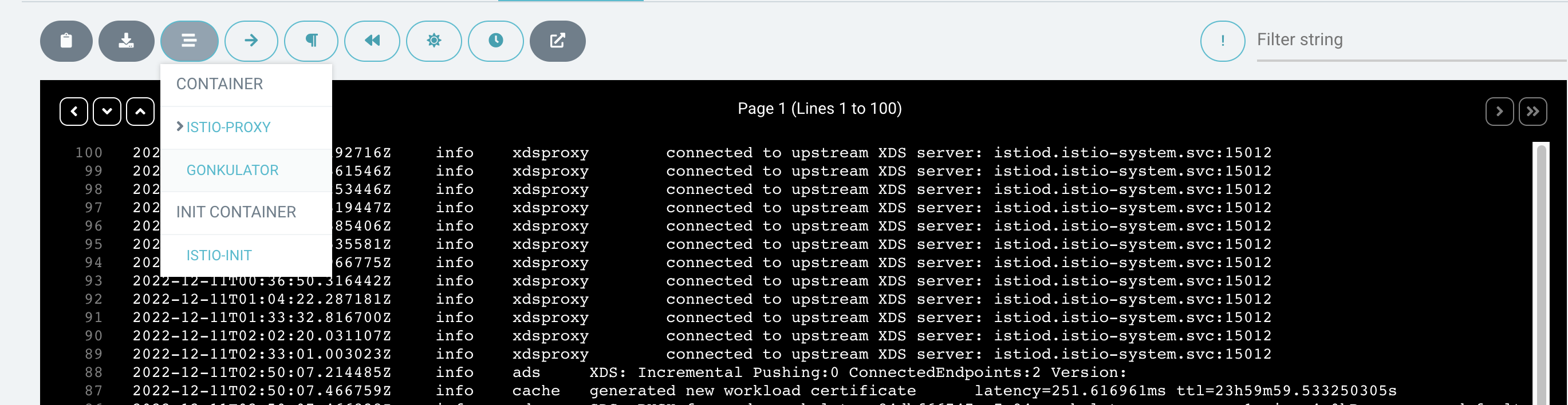
Note that logs are available only for the lifetime of a pod. When a pod is deleted, the logs are no longer available.
Restarting Workloads in Argo CD
Restarting StatefulSets and Deployments in Argo CD is preferable to deleting workloads, which is the equivalent of a kubectl rollout restart in Kubernetes. This ensures that original workloads are kept intact while new ones spin up.
INFO
In some cases, the deployment strategy may be set to replace, which is a similar yet still less destructive equivalent to deleting a pod.
To restart a deployment, follow these steps:
- Navigate to the Deployment or StatefulSet you would like to restart. This is different from the pod in that it is a higher-level definition/resource.
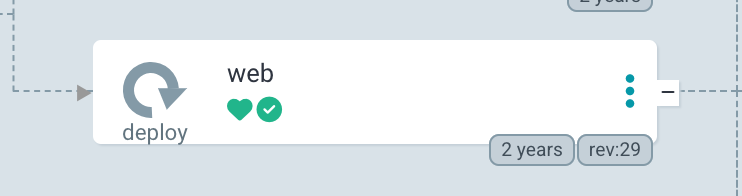
- Click the 3 dots on the right-hand side and click Restart.
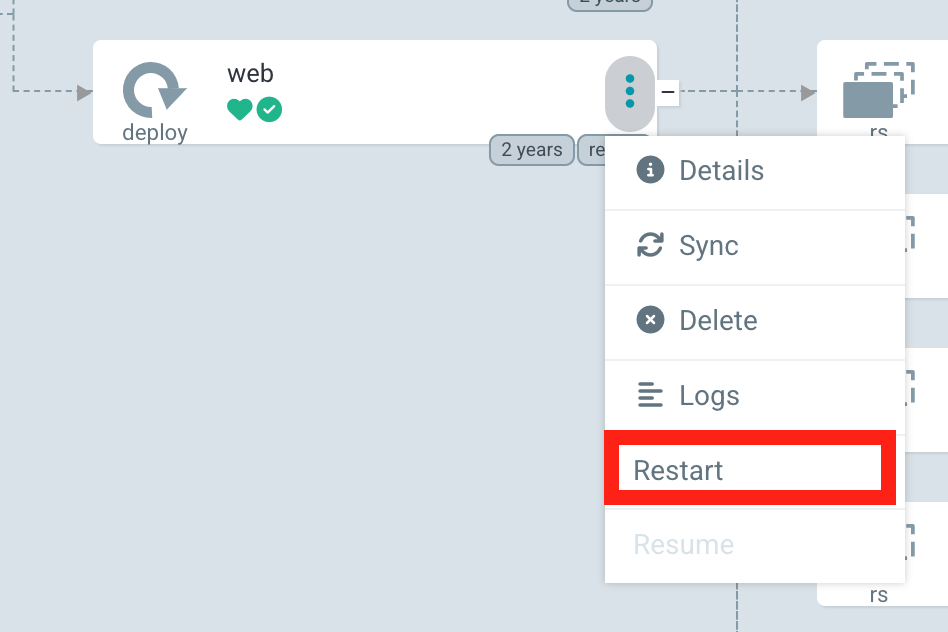
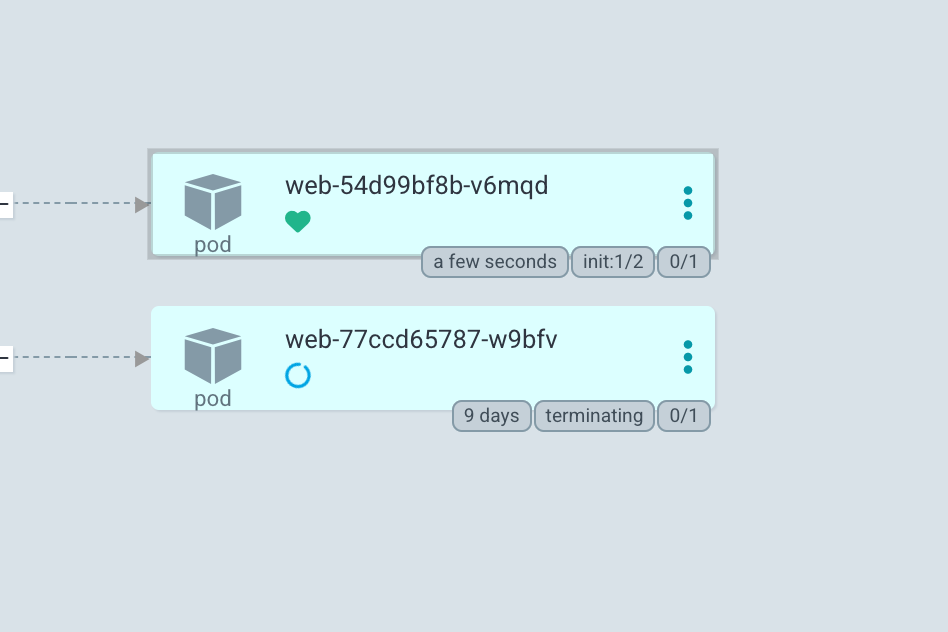
You should see a new pod start to spin up in place of the old one.
Deleting Resources in Argo CD
To delete resources, click the three dots to the right of the specific resource and select Delete.
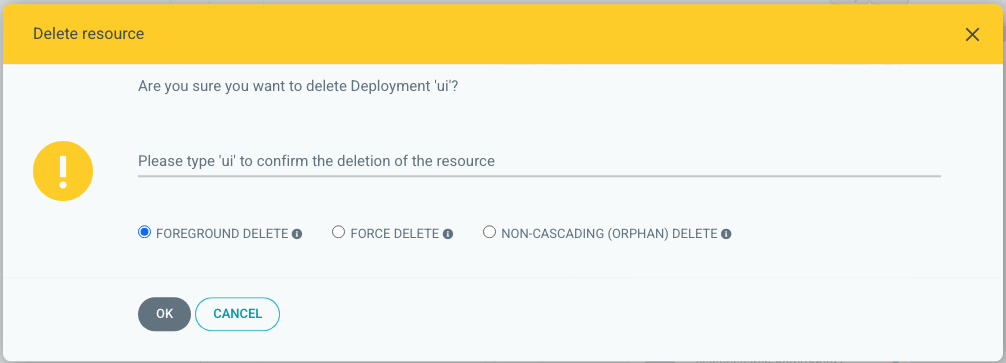
When deleting a resource in the application, you will always be prompted beforehand as a fail-safe. For things with potentially high impact, Argo CD will require you to type the entire name of the resource that you are deleting:
Implications of Deleting Resources in Argo CD
WARNING
IMPORTANT: Never delete your entire Application in Argo CD. This will affect both availability and persisted data.
There are some other major implications that all product teams should consider before deleting resources.
Affecting Availability
While low risk, if you delete Pod resources:
- If your application has a single pod under a Deployment/StatefulSet, there will be potential downtime for your application while Kubernetes spins up a new pod.
- Any logs and locally cached data within the pod will be lost. This won't affect persisted data in PVCs.
If you delete Deployment or StatefulSet resources, there will be potential downtime for your application while Argo CD auto-syncs and recreates them.
Potential Loss of Data
If you delete a PVC resource, the persisted data within that PVC will be lost. This means:
- Production: Nightly backups of the PVC that was deleted can be restored. If this happens, please submit a ticket via the Help Desk.
- Staging: Since we do not guarantee data in our staging environments, the data will be lost.